Skip to product information
1 of 1

Albion OS

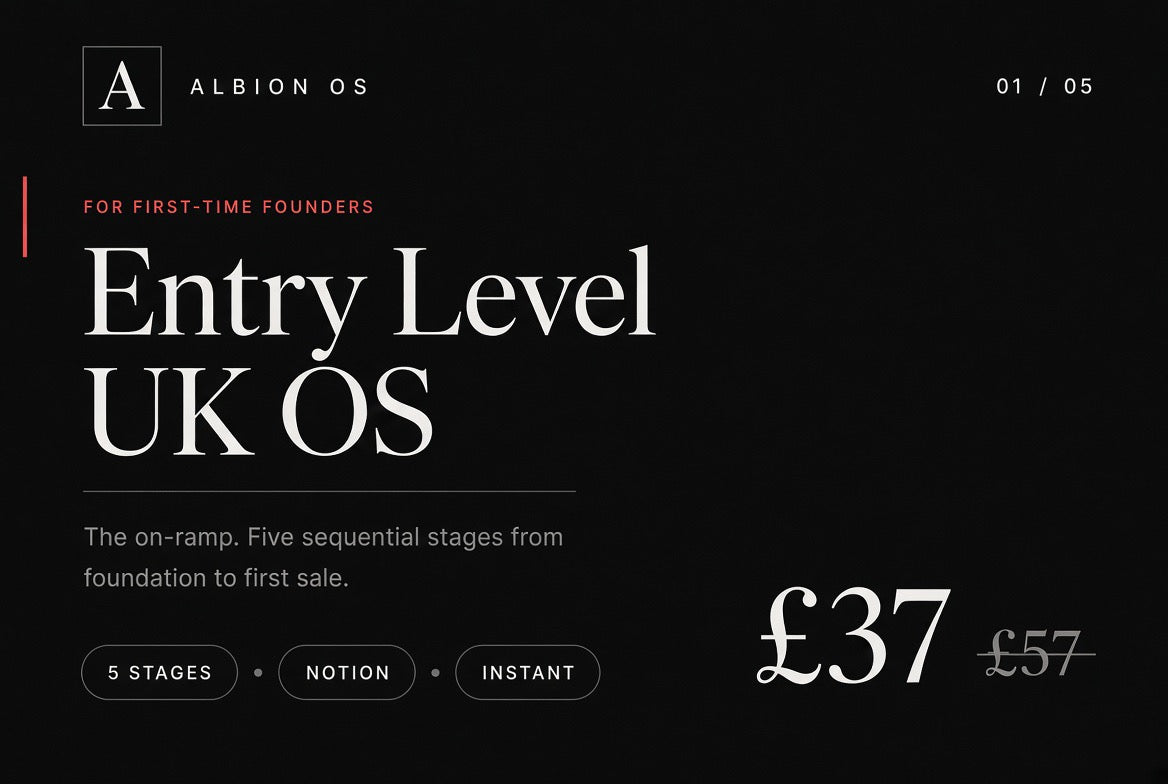
Albion “Entry Level” UK OS

Albion “Entry Level” UK OS

Regular price ÂŁ37.00 GBP
Regular price ÂŁ57.00 GBP Sale price ÂŁ37.00 GBP
Sale Sold out
Taxes included. Shipping calculated at checkout.
Quantity

01 / Starter system · For first-time founders

Albion “Entry Level” UK OS

We sell the map. We don’t insist you drive our car.

Albion Entry Level OS is a practical, UK-focused map of the ten things a new online business needs to understand, in order. It helps you work out what you are building, how the UK side of it fits together, how customers will find and pay you, how money and records should be kept, and which tools you need — if any.

Understand the business first. Automate it later, and only where it earns its place. Each stage explains the ideas in plain English, shows a manual way to start, and points you to the official source and to professional advice where a decision matters.

Notion is only the delivery layer. The method works on paper, in a spreadsheet or in another tool. The workspace gives you six small databases to keep records in one place, and a dashboard to see them. It does not assume you use any particular platform — Shopify included.

The Albion Way inside the product is a worked example of one tool for each role, as this business actually runs. It is there to learn from, not a shopping list. That is the dogfood. Your route may stay lean and manual, or later consolidate several roles into one platform.


Who it is for

  • A first-time founder in the UK starting a product, service, digital or creator business from zero.
  • An owner already trading who wants to write down what exists, compare it with the map and find the gaps — without replacing anything that works.
  • Anyone who wants to understand the business before paying for software or automating anything.

Start here

Starting from zero. Fill in the Business Snapshot. Work through Stages 1 to 10 in order. Choose a route. Then set up your Operating Rhythm and use My Dashboard.

Already operating. Open Already Operating. Describe what you have now, compare it with the map, list the gaps and improve one at a time. Do not replace anything that is working.

The ten-stage map

Each stage answers one question. Work through them in order, or use them as a checklist of gaps.

  1. Stage 1 — What are you building? What is the business, who is it for, what does it sell, and how is money expected to come in?
  2. Stage 2 — UK business foundation. Which structural and registration questions need answering, and who can help you answer them?
  3. Stage 3 — Your business identity. What is it called, how do people reach it, and who controls those things?
  4. Stage 4 — What are you selling? The offer, who it is for, what it costs, and how the customer receives it.
  5. Stage 5 — How can somebody buy or enquire? How they buy or enquire, how you get paid, and how you deliver.
  6. Stage 6 — Website / online presence. What the presence needs to do, and what it needs to show.
  7. Stage 7 — Money & records. Where money is tracked, and how you get a basic, honest picture of it each month.
  8. Stage 8 — Legal & compliance baseline. Which UK obligations to investigate, where to verify them, and when to ask a professional.
  9. Stage 9 — Security & access. Which accounts could stop the business if lost or taken over, and how you protect and recover them.
  10. Stage 10 — Your basic tool stack. Which software roles actually matter, and which of them you can still do by hand.

Three routes

The stages stay the same on every route. What changes is how much you pay for and automate. You can change route later.

  • Route A — Lean. Build the lawful minimum. Run it manually. Pay to remove a proven bottleneck. Lean does not mean ignoring your obligations.
  • Route B — The Albion Way. A worked example of one tool for each role, as Albion runs its own business. An example to learn from, not a shopping list. Shopify is one storefront option among others — Wix, a simple site, or no storefront yet.
  • Route C — Consolidated. One platform covering several roles (for example HighLevel). You trade some modularity for convenience, so know how you would leave.

Inside the workspace

  • Business Snapshot, Already Operating path, Operating Rhythm and My Dashboard
  • The ten stages and the Three Implementation Routes comparison
  • AI and Automation at Entry Level, plus Simple AI Prompts
  • Glossary for first-time UK founders
  • Six small databases: Offers · Sales & Enquiries · Tools & Costs · Monthly Check · Compliance Actions · Operating Tasks
  • How to duplicate this template — so records live in your own workspace
  • Legal disclaimer page to read before you enter live information

Principles that run through it

  • Manual first. Understand a task by doing it before you automate it.
  • Evidence before interpretation. Keep what you know apart from what you hope.
  • A blank is not zero. Leave a figure blank until you know it.
  • Revenue is not profit, and a bank balance is not profit.
  • Know the source of truth. Bank, payment provider and official registers come first. Notion organises what they say.
  • You stay responsible. AI assists. Take professional advice where the decision is significant.
  • Always have a fallback. Know how you would run each role by hand.

What this is not

It is not a list of tools to buy, and it is not an automation course. Completing it does not make a business compliant. Do not store passwords, backup codes or card numbers in Notion. Keep original evidence — receipts, statements, official letters — where it came from, and add a link.

This is educational and operational guidance. It is not personal legal, tax, accounting, financial or other professional advice. Figures, fees, dates and thresholds in the workspace are dated working notes; rules change. Confirm each one at the official source before relying on it. No revenue, first-sale, time saving or other commercial result is promised.


Specification ALB/OS/26

Format Notion workspace
Delivery Digital access link after checkout
Licence One-time, personal
Runs on Notion (free plan is sufficient)
Recurring cost ÂŁ0 from Albion OS
Access Your own duplicate, subject to Notion terms
Region United Kingdom

Albion Digital Operating Systems · London E1 · United Kingdom · Rev 2.0 / 2026

View full details
  • One-time payment
  • Notion link by email
  • Free or paid Notion account
  • Built for the UK
  • Guidance, not advice
01 / Delivery

Delivered by email. Yours to keep.

One payment through Shopify checkout. Your order confirmation carries the Notion link: open it, sign in to Notion and choose Duplicate. The copy lives in your own account, to edit as your business changes.

SpecificationALB/OS/26
Format
Notion workspace
Structure
10 stages
Records
6 databases
Delivery
Notion link by email
Payment
One-time · £37
Notion
Free or paid account
Licence
One individual user
Ongoing fee
ÂŁ0 to Albion
  1. Check out

    One payment of ÂŁ37 through Shopify checkout. No subscription is created.

  2. Duplicate into Notion

    Open the Notion link in your order confirmation, sign in with a free or paid Notion account and choose Duplicate.

  3. Start where you are

    Fill in the Business Snapshot and work through the ten stages in order. Already trading? Start at Already Operating.

02 / Method

We sell the map. You choose the vehicle.

Every Albion system starts with the business, not the software: the functions that have to exist whatever you run them on. Principle, route and procedure are kept apart, so you can change a tool without losing the logic. Work by hand first, document it, repeat it — then automate only what's proven, with a fallback and a human sign-off.

Two ways in

Starting from zero

Fill in the Business Snapshot, work through the ten stages in order, choose a route, then set up a simple operating rhythm.

Already operating

Describe what you have now, compare it with the map and close the gaps one at a time. Don't replace anything that works.

Three routes

  • A · LeanThe lawful minimum, run by hand with few subscriptions. Pay only to remove a bottleneck you've proven.
  • B · The Albion wayAlbion's own documented set-up, one tool per role. A worked example to learn from, not a shopping list.
  • C · ConsolidatedOne platform covering several roles. Convenience traded for modularity, so know how you'd leave.

The map stays the same on every route; only how much you pay for and automate changes. Mix routes by function and change later.

03 / Operating standard

Rules every system keeps.

  • Map

    Business first, software second. If you can't explain the offer without naming a tool, don't buy one yet.

  • Manual

    Do it by hand, document it, repeat it. Then automate only proven repetition — logged, with a fallback and an approval gate.

  • Evidence

    Your bank, payment provider and official registers stay the source of truth. Notion organises what they say. A blank is not zero.

  • AI

    AI drafts, explains and organises. It must not invent your facts, decide legal or money questions, or publish unchecked.

  • UK

    HMRC, Companies House and ICO duties signposted to live official sources. Dated checks, not stale reprints.

  • Boundary

    Educational and operational guidance, not advice. A completed checklist doesn't establish compliance.

Slow is smooth. Smooth is fast.

Military maxim
04 / The range

Where it sits in the range.

The four Albion OS systems and the Full Stack bundle compared
SystemStructureRecordsBuilt forAI & automationPrice
Entry Level UK OS10 stages6 databasesFirst-time foundersSimple prompts, manual firstÂŁ37
Creator OS9 chapters8 databasesCreators & consultantsRoutes, AI & automationÂŁ57
AI Engineering Playbook12 chapters4 registersAdopting or running AIThe full methodÂŁ67
All in UK OS8 chapters13 databasesIdea to tradingRhythm, AI & automationÂŁ97
Full Stack Bundle8 + 9 + 12 chapters13 + 8 + 4Founders who want all threeAll three combinedÂŁ197
When you're ready for more

All in UK OS

Entry Level is complete for its purpose. All in goes substantially deeper: eight chapters, thirteen record databases and procedures for service, digital and physical sales.

View All in — £97
05 / Before you buy

Questions, answered plainly.

How is it delivered?

By email, straight after checkout. Your order confirmation includes the Notion link. Open it, sign in to Notion and choose Duplicate to copy the workspace into your own account.

Do I need a paid Notion account?

No. A free or paid Notion account works. Notion is only the delivery layer; the method still makes sense on paper or in another tool.

Entry Level or All in?

Entry Level is a plain-English, ten-stage map with six small databases. It's complete for its purpose, and some businesses run on it for a long time. All in goes substantially deeper: eight chapters of operating architecture, thirteen record databases and procedures for service, digital and physical sales. Want the foundations first? Entry Level. Want the full operating architecture from day one? All in.

Does it install automations or AI?

No. You get guidance, procedures, prompt templates and record databases to fill in. Duplicating copies pages and databases, not credentials, schedules or automations. Anything you connect, you configure and test yourself.

Can I share it with my team?

Each purchase is a licence for one individual user, for use in their own business, so please don't share the link or the template. If more people need it, email support@albionos.co.uk about a multi-user licence. Full terms are in our Terms of Use.

Is this legal, tax or financial advice?

No. It's educational and operational guidance. What applies depends on your activity and circumstances, so check live official sources and take qualified advice where a decision needs it. A completed checklist doesn't establish compliance, and no revenue, saving or other outcome is promised.

What's your refund policy?

Access is delivered digitally straight after checkout. Cancellation and refunds, including how the 14-day cancellation period applies to digital content, are set out in our Refund Policy. Your statutory rights for faulty or misdescribed digital content aren't affected.

How do I get help?

Email support@albionos.co.uk with your order number. Every enquiry is answered within 48 hours. Support covers access, duplication and how the system is meant to be used — not advice on your own legal, tax or financial position.

06 / Next

Start with the stage you're actually at.

One payment of ÂŁ37. Notion link by email, straight after checkout. Your copy is yours to keep.

Albion Digital Operating Systems Ltd

London E1 · United Kingdom · Company No. 17097232, registered in England and Wales
Registered office: 5 Brayford Square, London, E1 0SG

All products provide educational and operational guidance only. They are not legal, tax, accounting, financial or other professional advice, and no outcome is guaranteed. Requirements depend on your circumstances: check live official sources and take qualified advice where a decision needs it. Portions of these products were created with the assistance of AI tools and reviewed before release.

© 2026 Albion Digital Operating Systems Ltd. UK spelling throughout. · support@albionos.co.uk

One-time payment · £37Entry Level UK OS
Buy now — go to the purchase options